
Nine film filters that give your photo a film stock
FilmTable’s filters come as a row of film boxes: a creamy warm stock for portraits, a vivid one for landscapes, tungsten neon for night streets. Every filter has a strength slider, and exposure, contrast, saturation and warmth are adjustable on top.
The nine stocks and what they suit
The code on each box is the filter’s name in the app. The “suits” notes describe what we had in mind when tuning each one. Use whichever you like.
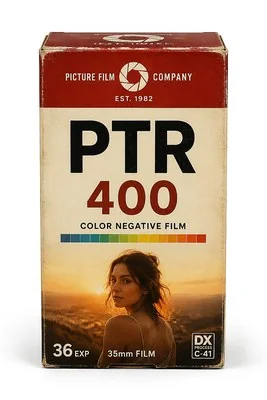 PTR 400Creamy warmPortraits and everyday shots, with warm, soft skin tones
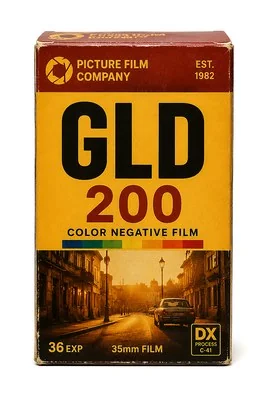 GLD 200Retro goldStreet and travel, with an overall warm, golden cast
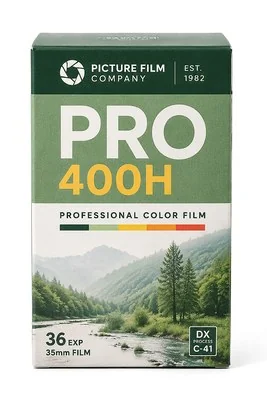 PRO 400HFresh tealOutdoors and greenery, in light, airy teal-greens
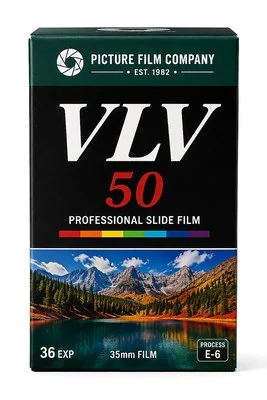 VLV 50Vivid landscapeLandscapes and skies, in dense, saturated colour
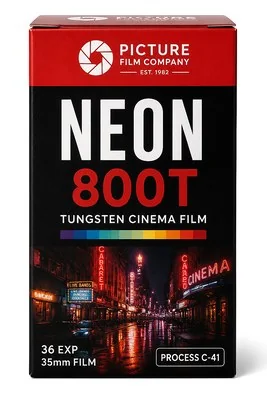 NEON 800TTungsten neonNight scenes and city lights
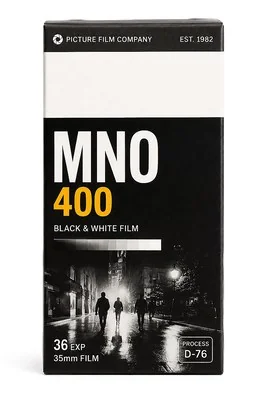 MNO 400Classic monoBlack and white
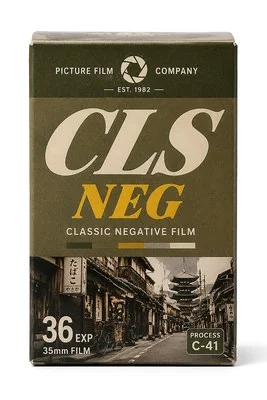 CLS NEGRetro negativeCity and everyday scenes, in negative-film colour
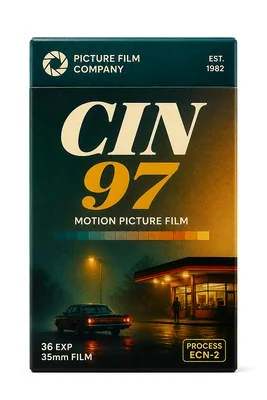 CIN 97Cinematic tealNight and interiors, in teal, movie-like colour
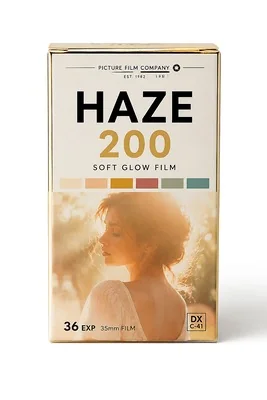 HAZE 200Morning hazeBacklight and sunsets; adds a warm glow around the highlights
How to apply a filter
- On the home screen, tap Single Photo and choose a photo from the system picker.
- Tap Filter at the bottom. Swipe along the Film row and tap a box to apply that stock.
- Drag Strength: 0% is your original photo, 100% is the full look.
- To brighten or warm things up, tap Adjust and change exposure, contrast, saturation or warmth. Reset puts them back.
- Tap Export at the top right, choose a size and format, and save to Photos.
Why HAZE 200 looks different
Eight of the filters only change colour. HAZE 200 (Morning haze) adds one more step: it finds the brightest parts of the image, softens and spreads them, and lays a warm orange glow back on top, like light spilling into the lens when you shoot into the sun. The effect is strongest on sunsets, window light and backlit portraits. With no bright areas in the frame, it behaves like an ordinary warm filter.
Filter first, then adjust
Choose a filter to set the overall look, then fine-tune with the adjustment sliders. If the photo itself is too bright or too dark, bring exposure back first and the filter’s colours will come out cleaner. For badly blown highlights, see how to fix overexposed photos.
Questions
Do the filters need an internet connection?
No. Filters and adjustments are computed on your iPhone, and your photos aren’t uploaded.
Are all filters included in the free version?
Yes. All nine filters and the adjustment tools are free. The free version can save 3 images to Photos; a one-time unlock (US$6 in the US store) removes the limit.
Do the filters add film grain?
No. The nine filters work on colour and light (HAZE 200 also adds a glow). None of them adds grain.
Is the app in English?
Yes. FilmTable is available in English and Simplified Chinese. It follows your iPhone’s language, and you can switch under Settings › Language.
Next, add a frame with photo frames and seasonal themes, or combine several shots with the collage maker.